Automating Business Processes: The Ecommerce Seller's Practical Guide to Reclaiming Time
The average ecommerce seller spends an estimated 60–70% of their working week on tasks that software could handle without human input, yet most treat automation as something to tackle "once the business gets bigger." That framing is backwards.
Automating business processes means using software rules, triggers, and integrations to replace repetitive manual work. For ecommerce sellers, it is one of the most effective ways to scale without proportionally increasing costs, and the right moment to start is not later, it is before the workload becomes unmanageable.
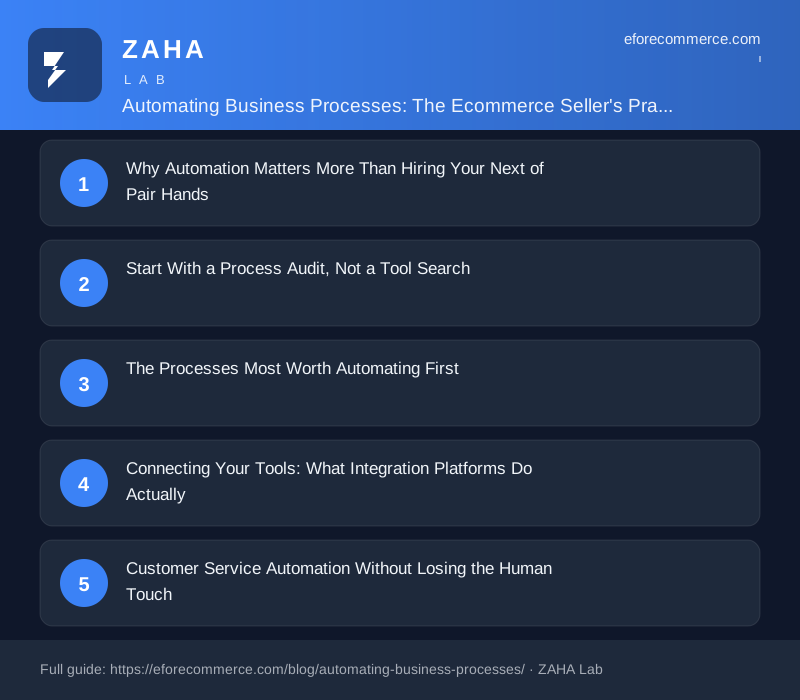
Why Automation Matters More Than Hiring Your Next Pair of Hands
The instinct when a business grows is to hire. Someone to answer emails, someone to process returns, someone to update listings. But each hire introduces wage costs, management time, and the risk that institutional knowledge walks out the door. Automation, done thoughtfully, is a different kind of investment: you spend time or money once to eliminate a task permanently.
Consider a seller processing 200 orders a week. If manually updating tracking information, sending dispatch confirmations, and flagging delayed shipments takes just four minutes per order, that is over 13 hours a week spent on information-routing, work that a properly configured tool chain can compress to near zero.
That time is not a small thing. It is equivalent to roughly two full working days every week that could be redirected to sourcing, listing optimisation, or customer retention, the activities that actually grow a business.
Start With a Process Audit, Not a Tool Search
One of the most common mistakes sellers make is choosing an automation platform before understanding which processes need automating. The result is an expensive subscription that solves an irritation rather than a bottleneck.
A useful starting framework is to spend one week logging every task you do that follows a predictable pattern: if X happens, then Y needs to happen. These are your automation candidates. Common examples include:
- A new order is placed → a picking list needs generating and emailing to a warehouse
- Stock drops below a threshold → a reorder alert needs sending to a supplier
- A customer leaves a one-star review → the customer service team needs notifying within the hour
- A listing goes out of stock → the price on a competitor comparison site needs suppressing
- A return is authorised → a refund needs issuing and a restocking note needs logging
- A monthly reporting date arrives → sales data needs pulling from three platforms and consolidating into a spreadsheet
Each of these is a manual process masquerading as necessary work. Most can be automated with tools that cost between £20 and £150 a month, far less than a part-time hire.
The Processes Most Worth Automating First
Not all automation delivers equal return. The highest-value targets share three characteristics: they happen frequently, they are time-sensitive, and they carry a cost if they go wrong. Here is where to focus first.
Order fulfilment communication. Dispatch emails, tracking updates, and estimated delivery windows can all be triggered automatically the moment a carrier scans a parcel. Customers who receive proactive updates submit significantly fewer "where is my order" contacts, some sellers report a 30–40% reduction in inbound support queries from this change alone.
Inventory alerts and purchase order triggers. Running out of stock costs more than the lost sale. It costs search ranking, review velocity, and sometimes a listing suspension. Setting automated low-stock alerts, ideally tied to your average daily sales rate and supplier lead time, is one of the cheapest and most impactful automations available.
Review monitoring and response queues. Most marketplaces penalise slow response times to negative feedback. An automated system that detects a low-rated review and creates a support ticket within minutes means no review slips through because it arrived on a bank holiday.
Bookkeeping and reconciliation. Pulling payout data from marketplaces, reconciling it against orders, and categorising fees is the kind of work that accountants charge by the hour for, and that software can handle in seconds. Automating this alone often saves four to eight hours a month for a mid-volume seller.
Connecting Your Tools: What Integration Platforms Actually Do
Most ecommerce sellers already use six or more software tools: a selling platform, a shipping tool, an inventory system, an accounting package, an email marketing platform, and perhaps a CRM or helpdesk. These rarely talk to each other natively.
Integration platforms solve this by acting as a layer between your existing tools, routing data from one system to another based on rules you define. You do not need to write code. You define triggers and actions in plain logic: "when a new order arrives in platform A, add a row to spreadsheet B and send a Slack message to channel C."
The complexity can scale considerably, multi-step workflows, conditional logic, filters, and error handling, but most sellers start with simple two-step automations and build from there. The learning curve is genuinely shallow for basic use cases, and most platforms offer template libraries built around common ecommerce scenarios.
A note on build quality: simple automations that break silently are worse than no automation at all. Whichever platform you use, ensure that failed automations generate alerts. An unfired low-stock notification is a stockout waiting to happen.
Customer Service Automation Without Losing the Human Touch
Customer service is the area where sellers most often resist automation, worried it will feel impersonal or frustrate buyers. That concern is legitimate but misdirected. The goal is not to replace human judgement, it is to remove the mechanical steps surrounding it.
A well-designed customer service automation does the following: it acknowledges receipt of every message within minutes, routes the query to the right person or queue based on subject matter, surfaces relevant order information alongside the ticket, and triggers follow-up reminders if a ticket goes unanswered for more than a set period.
The human still writes the reply. But the surrounding infrastructure, the logging, the routing, the reminding, the following up, is handled automatically. A seller operating at 500 orders a week without this infrastructure typically spends 30–40% of their customer service time on the scaffolding rather than the actual resolution.
Templated responses deserve a separate mention. There is a meaningful difference between a canned reply that sounds robotic and a personalised template that pulls in the customer's name, order number, and relevant details automatically. The latter requires almost no additional effort per message and still reads as individual. Most helpdesk platforms support this natively.
Automating Reporting and Business Intelligence
Manual reporting is one of the quietest time-drains in ecommerce operations. Pulling sales by SKU, comparing performance week-on-week, tracking advertising spend against revenue, done manually, this can consume two to three hours a week for a moderately complex account.
Scheduled reports, automated data pulls, and dashboard tools can condense this to a five-minute review. The key is designing the output you actually need before you build the automation. Too many sellers automate a report that pulls data nobody looks at.
Start with three questions you need answered every Monday morning: Which products are trending up? Which are in decline? Where is stock at risk? Build the automation to answer those three questions clearly, and resist the temptation to add every available metric. Focused reporting is more useful than comprehensive reporting.
Measuring Whether Your Automation Is Actually Working
Automation has a tendency to become invisible once it is running, which is both its strength and its weakness. If nobody is monitoring automated workflows, errors can compound quietly for weeks before anyone notices.
Build a simple audit habit into your operations. Once a month, check the run logs on your ten most important automations. Look for: failure rates higher than roughly 2%, automations that triggered unexpectedly, and automations that should have triggered but did not. Edge cases accumulate over time, a workflow built for a catalogue of 200 SKUs may behave differently at 2,000.
Measure the impact of automation in human time terms. If an automation was meant to save three hours a week, track whether it actually did. If your order volume has tripled since you built the automation, ask whether the original configuration still handles the load without delays.
Finally, revisit your process audit annually. As your business evolves, new manual tasks emerge that did not exist twelve months ago. The audit is not a one-off exercise, it is an ongoing operational discipline.
Building Toward a Largely Automated Operation
The realistic ceiling for most ecommerce sellers is not full automation, human judgement is irreplaceable for strategic decisions, supplier negotiations, and genuine customer service escalations. But a largely automated operation, where the mechanical and information-routing work runs without input, is achievable well before a business reaches seven figures in revenue.
The sellers who get there fastest tend to share a common approach: they automate one process at a time, measure the result, stabilise it, and then move to the next. They do not attempt to rebuild their entire operation in a single project. They treat automation as a compounding investment, each hour saved through one workflow is an hour available to build the next.
That compounding effect is the real value proposition. The tenth automation you build is worth more than the first, not because it saves more time in isolation, but because the time saved earlier freed you to build it.
Frequently Asked Questions
What is the best place to start when automating business processes for ecommerce?
Start with your most frequent, time-sensitive, and error-prone manual task. For most sellers, this is either order-related communication (dispatch emails, tracking updates) or inventory alerting (low-stock notifications). Both are well-supported by mainstream tools, deliver measurable time savings quickly, and have low risk of negative customer impact if something goes wrong during setup.
Do I need technical skills to automate ecommerce processes?
For the majority of common ecommerce automations, no coding knowledge is required. Most integration platforms are built around visual, drag-and-drop interfaces with pre-built templates for popular selling platforms, shipping carriers, and accounting tools. Technical skills become useful if you want to build complex conditional logic or connect tools that lack native integrations, but the entry point is accessible to most sellers with basic software confidence.
How much should I expect to spend on automation tools?
A practical automation stack for a small to mid-sized ecommerce operation typically costs between £50 and £250 per month across all tools, depending on order volume and complexity. This might include an integration platform, a helpdesk with automation features, and an inventory management tool. For most sellers at meaningful order volumes, this cost is recovered in saved labour within the first month of operation.
Disclosure: this post contains affiliate links. If you join through one of them we earn a commission, at no extra cost to you. It does not change what we recommend.
Building the money skills behind the store
The operational side of ecommerce, sourcing, pricing, fulfilment, is only half of it. The other half is the financial literacy to read your own numbers, understand cashflow, and make decisions about credit, tax and reinvestment without guessing. That is the part most sellers develop last, and it is the part that decides whether a growing store becomes a durable business.
We use Money.School for this. It is a membership built around practical money education, cashflow modelling, credit and borrowing, margins, tax and reinvestment — taught by people who have actually scaled businesses rather than only theorised about it. It suits sellers who want a structured, ongoing education rather than a one-off course.
- Standard Monthly, £15 + VAT a month
- Standard Yearly, £150 + VAT a year
- Standard Lifetime, £300 + VAT one-off
- GOLD Monthly, £38.33 + VAT a month
- GOLD Yearly, £380 + VAT a year
- GOLD Lifetime, £760 + VAT one-off
The monthly tiers are the low-commitment way in; the lifetime options suit anyone who wants permanent access. If you are weighing it up, start with a monthly plan and judge it against your own numbers.